Home
User Guides
Developer Onboarding
Developer App Management
Account Information Service (AIS) flow
MTLS - Certificate Addition
Letter Of Guarantee flow
PIS - Payments flow
PIS - Refunds flow
PIS - Request To Pay flow
Core Bank - Reference Bank to simulate Core Banking
Consent Module
Admin Module for Bank administrator users
FAPI Conformance Test Suite
Testing Guides
Standards
Certifications
FAQs
Admin Module
This application can be used by the bank's system administrator to perform basic system configuration and manage the TPP's & customer's consent.
To access Admin portal visit here
- Once logged in you can see four tabs i.e.
i) TPPs
ii) Authorizations
iii) Analytics &
iv) Regulatory Reports.
TPP's tab
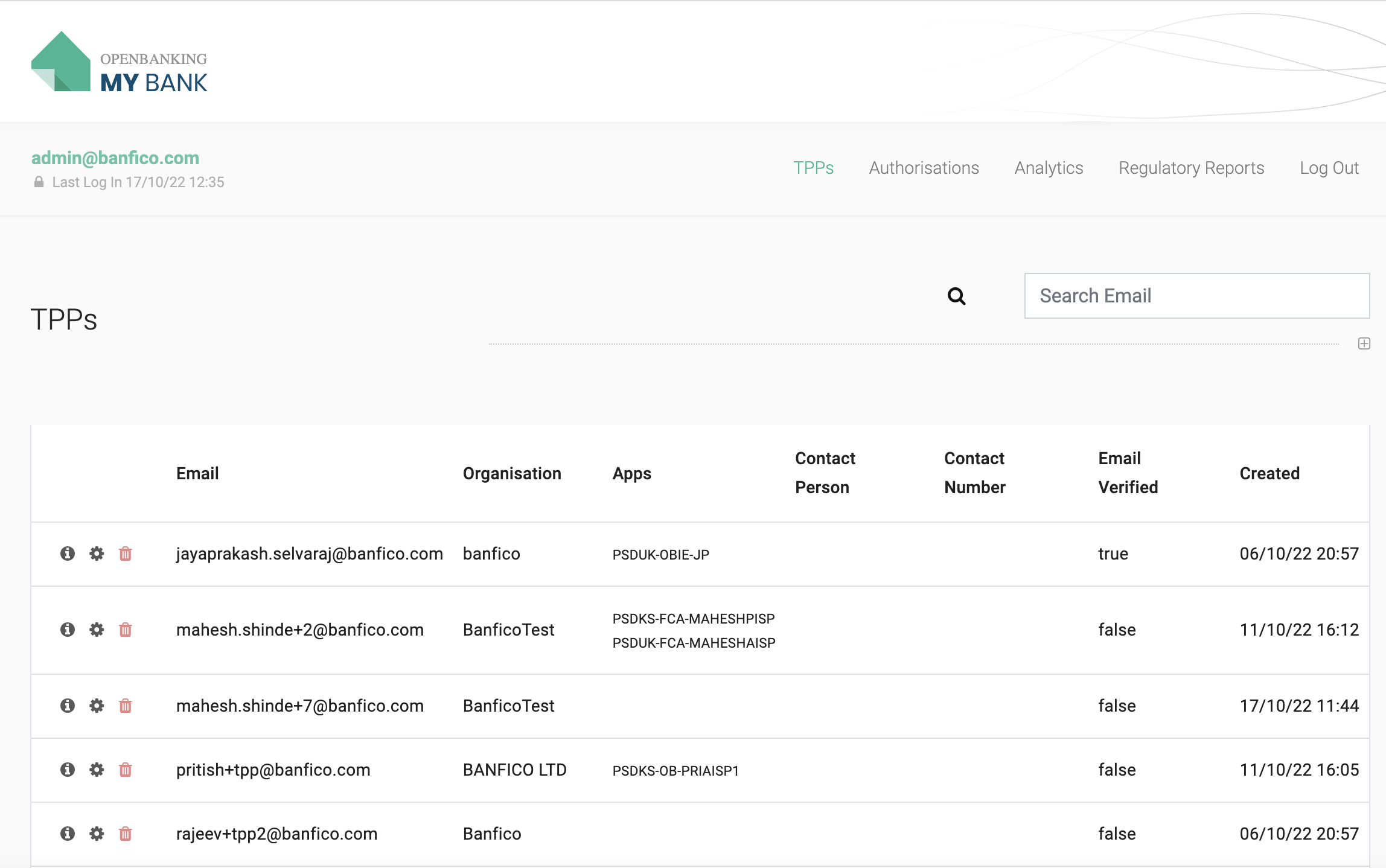
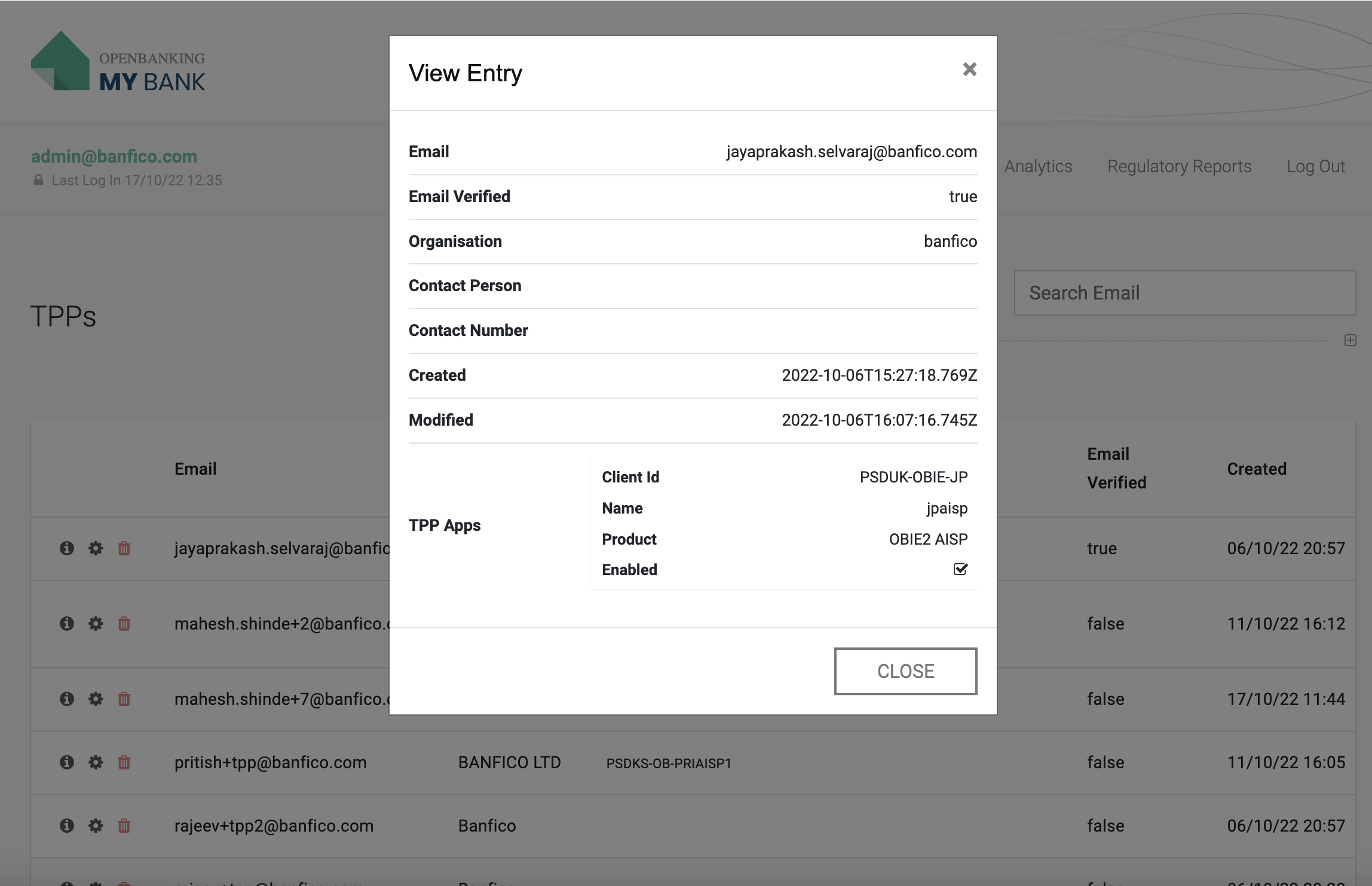
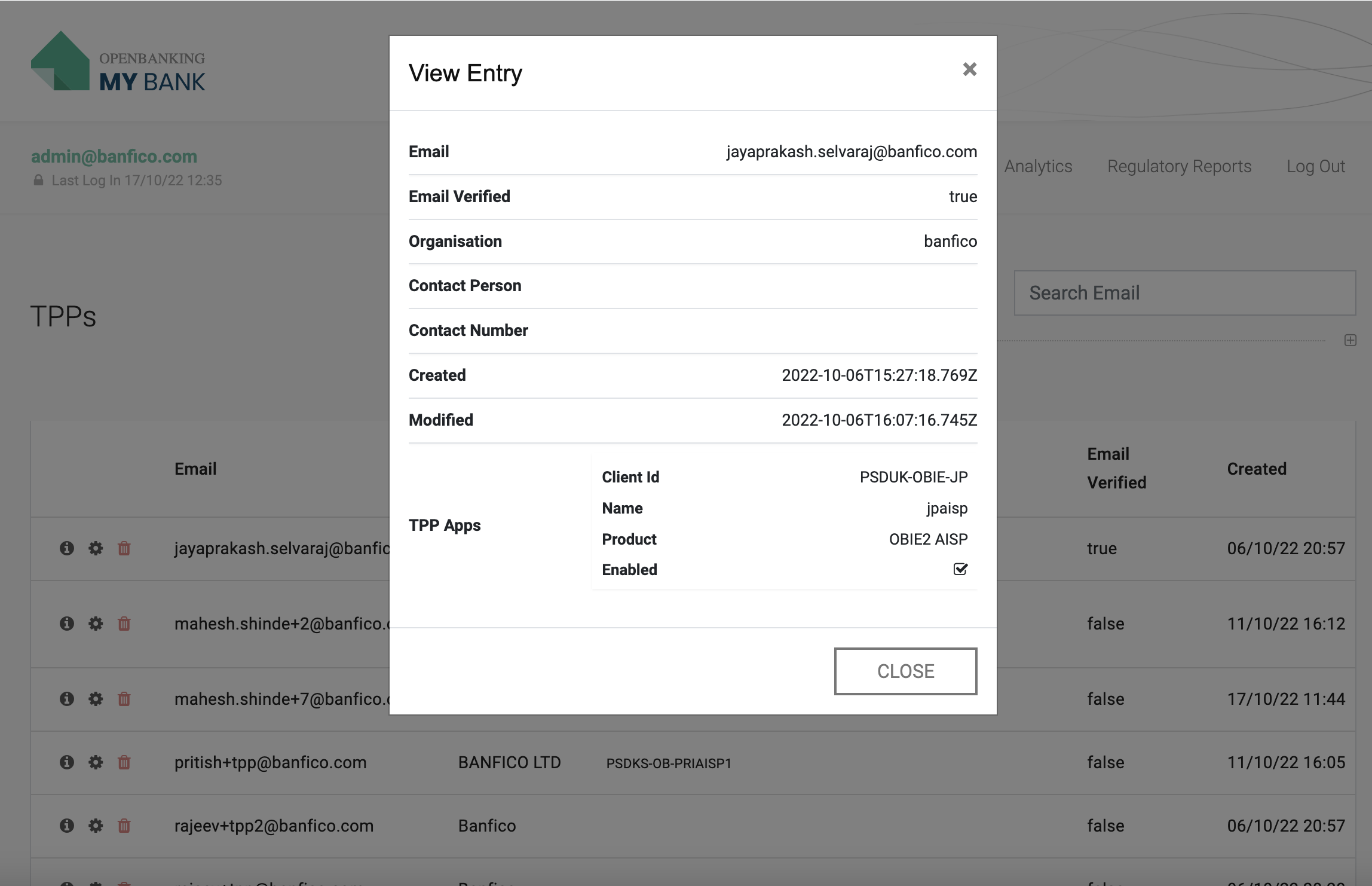
- Administrator can view the details of the TPP by clicking on the info icon.
- Administrator can disable the TPP Apps by clicking on the settings icon.
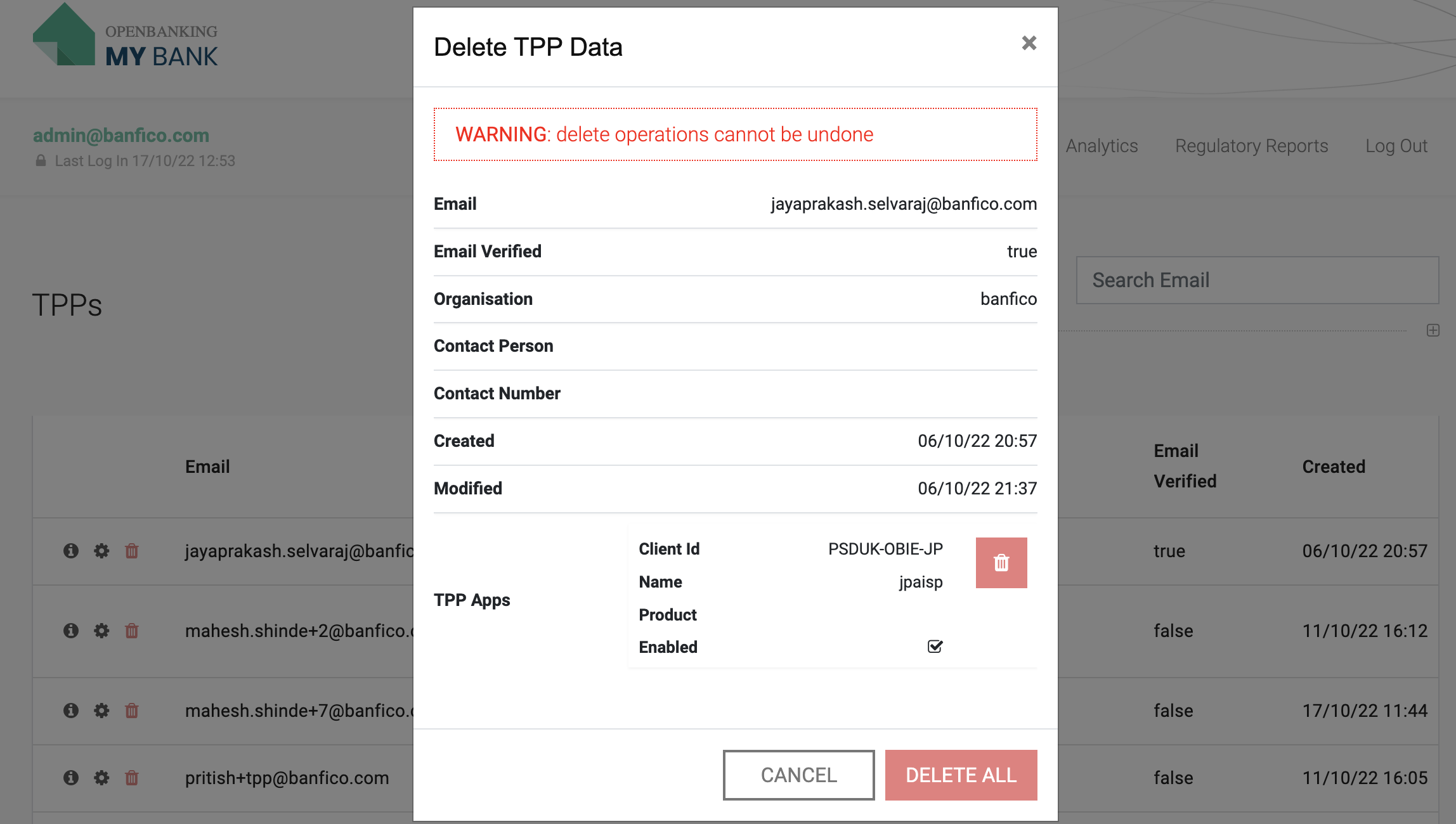
- Administrator can delete the TPP or Specific Client App by clicking on the delete icon.
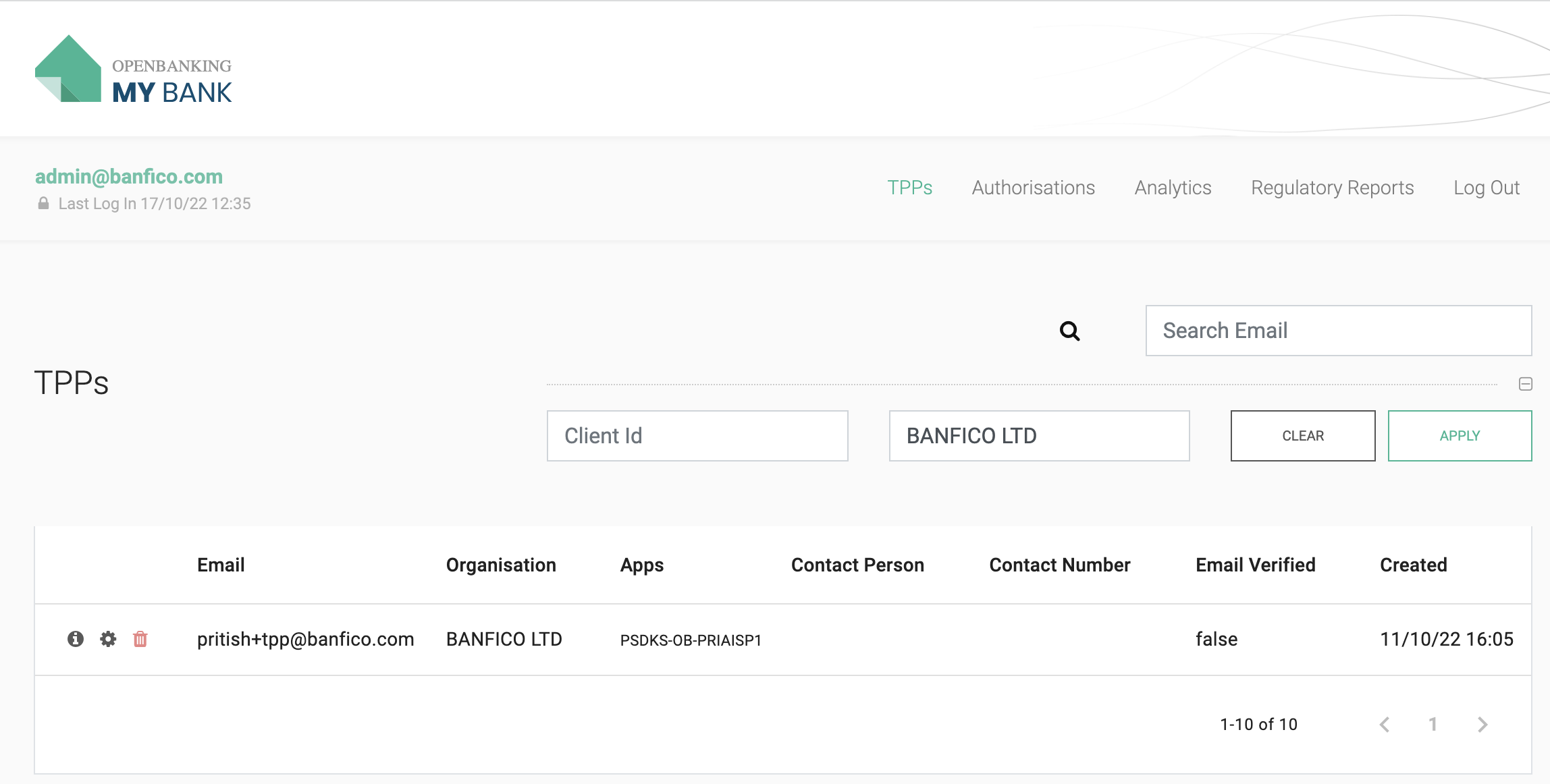
- Search & Filters are provided to find specific results.
Authorizations tab
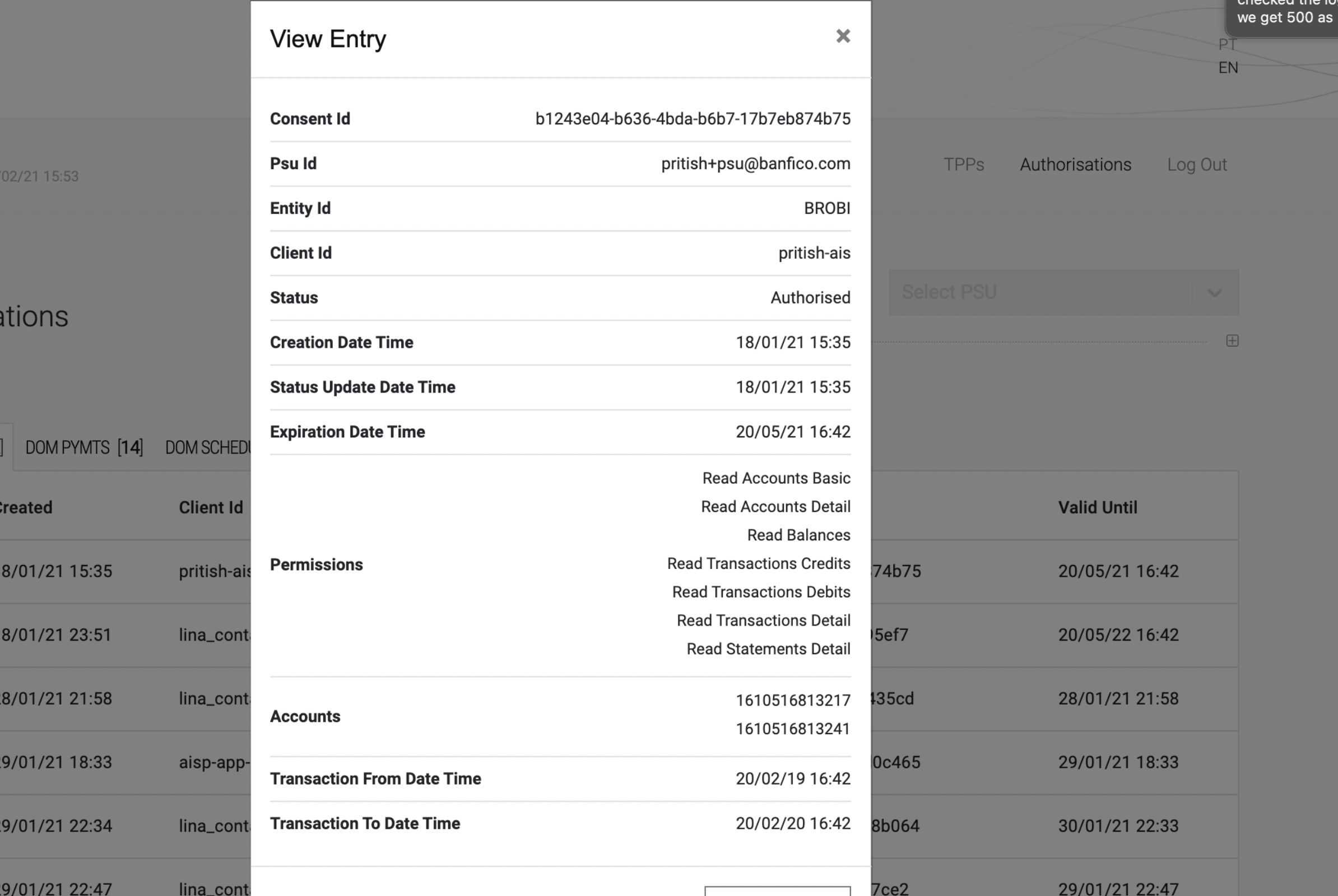
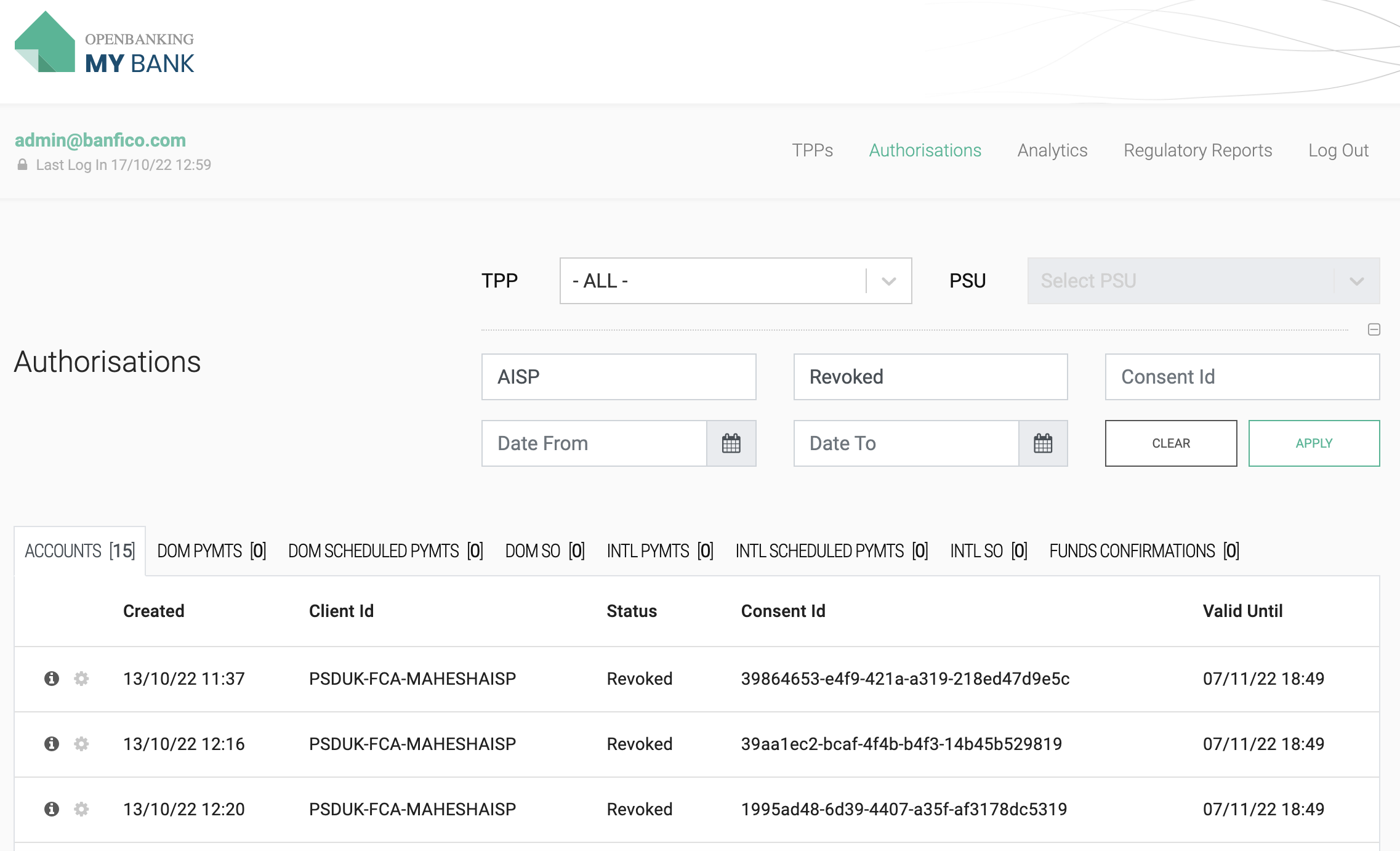
This tab contains list of consents with their status & details.
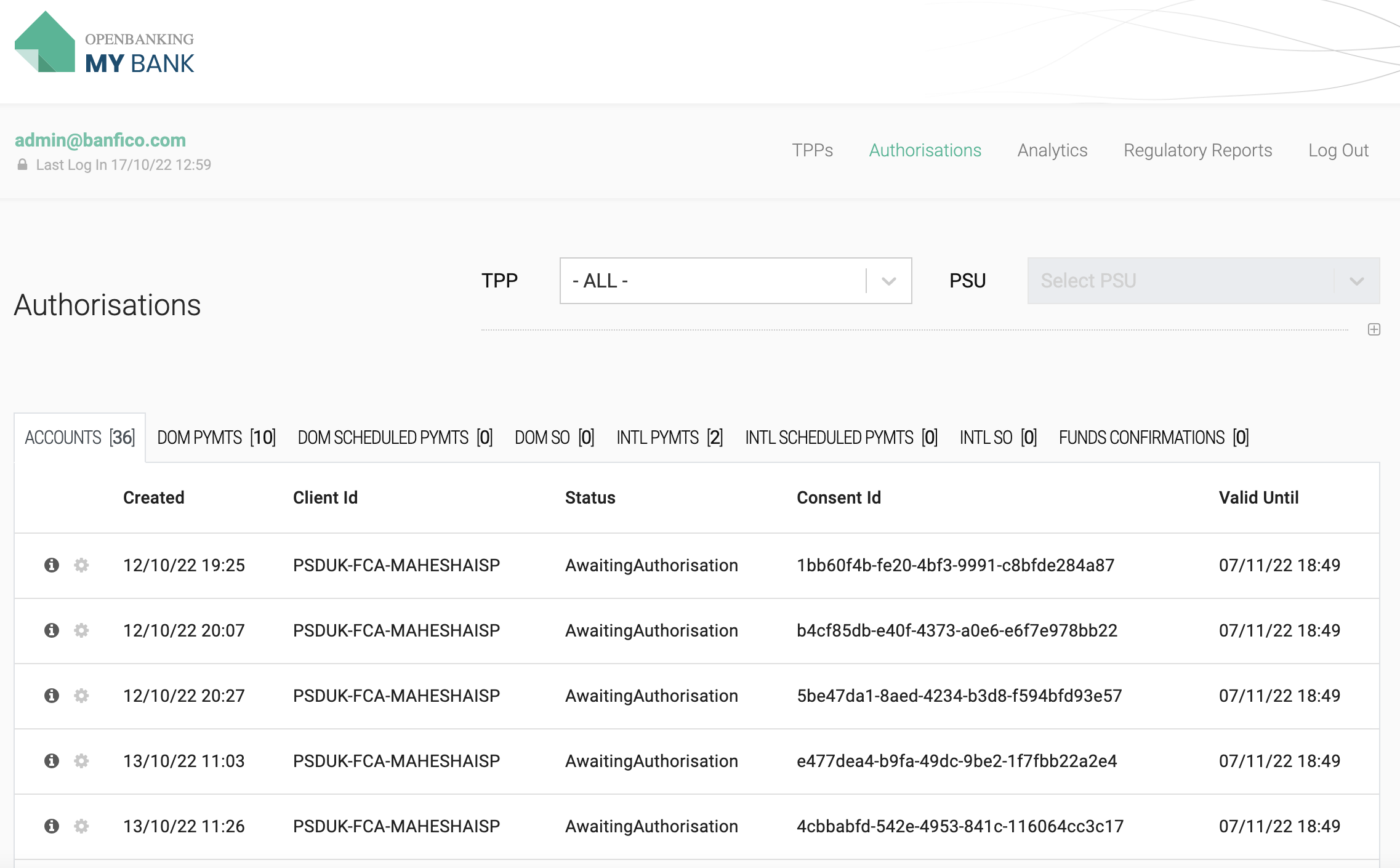
- Accounts consent details.
- Search & Filters are provided to find specific results.
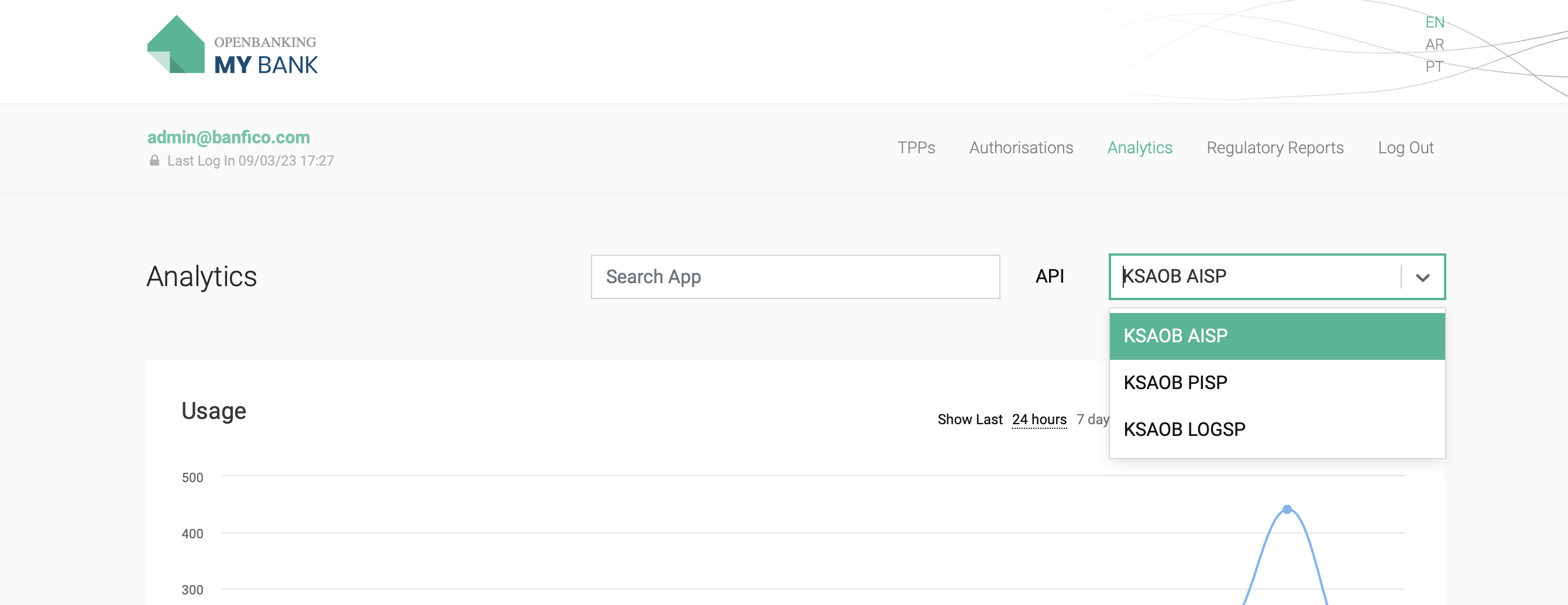
Analytics
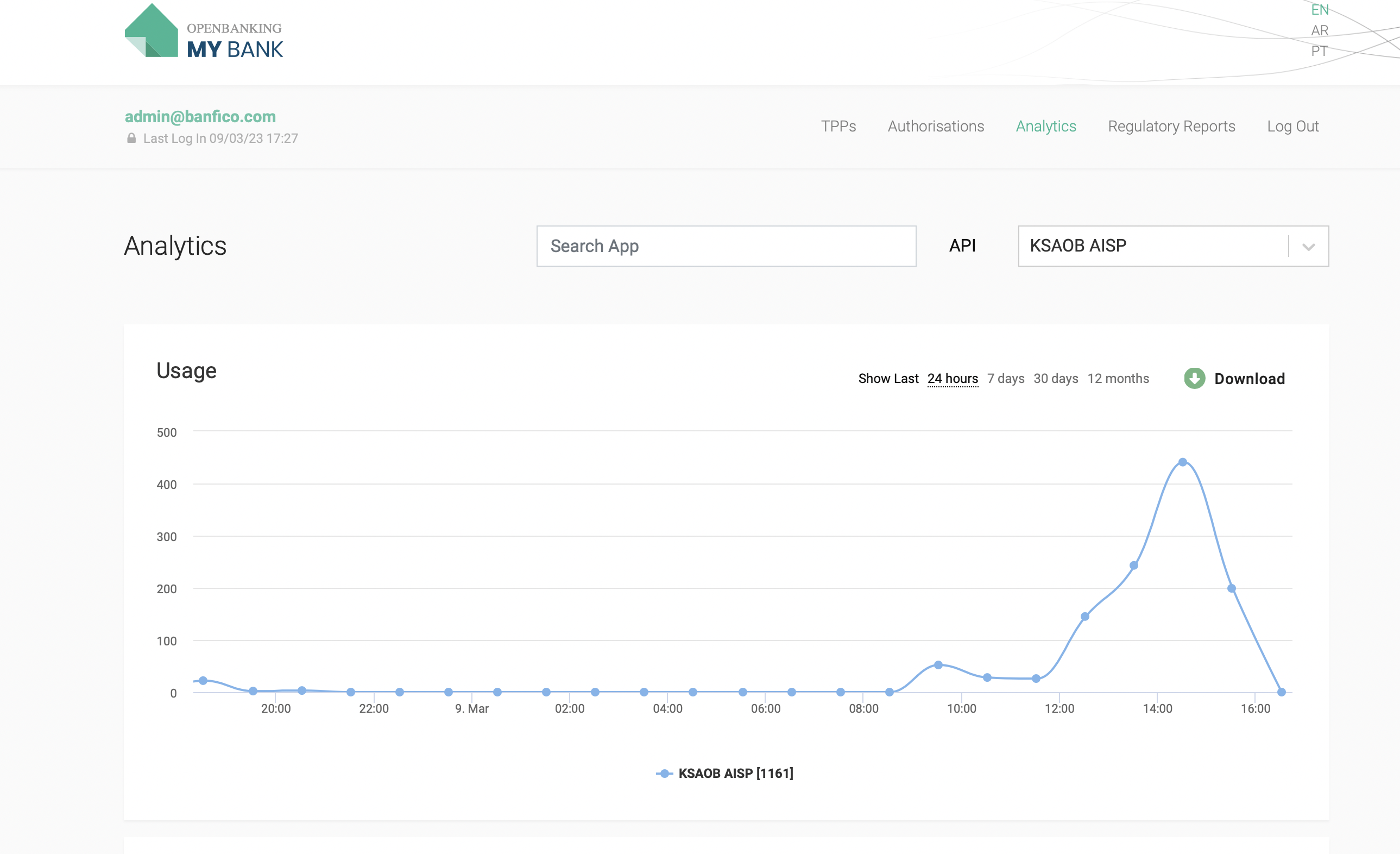
- This tab provides an Analytics API Usage and API Error codes.
- Graph highlights the API Usage with respective to Applications where admin user to check for 24 hours, 7 days, 1 month and 1 day. Also allow the Download of the Analytics.
- Graph highlights the API Error Messages ( 4XX, 5XX) with respective to Applications where admin user to check for 24 hours, 7 days, 1 month and 1 day. Also allow the Download of the Analytics.
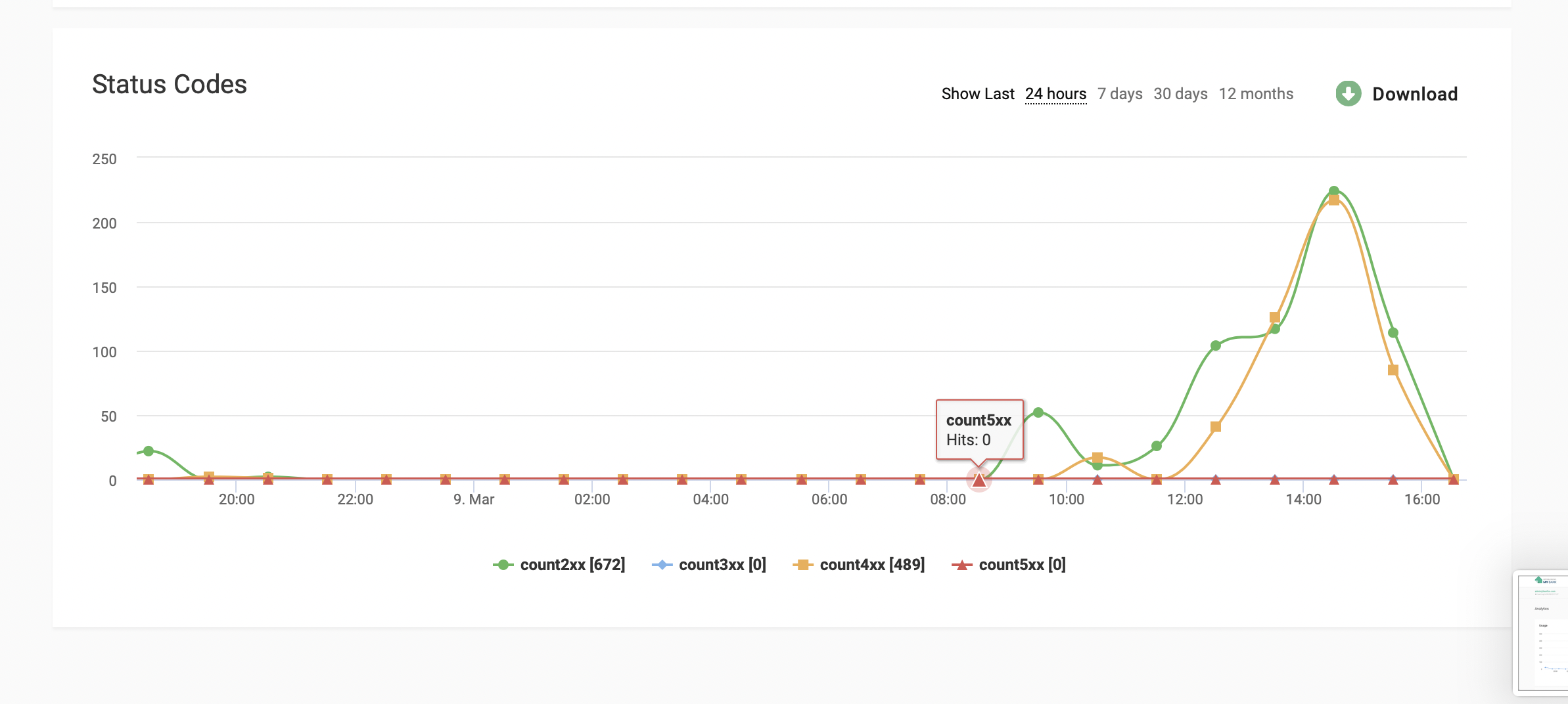
- Allows to Filter with the App Name as well.
Regulatory reports
-
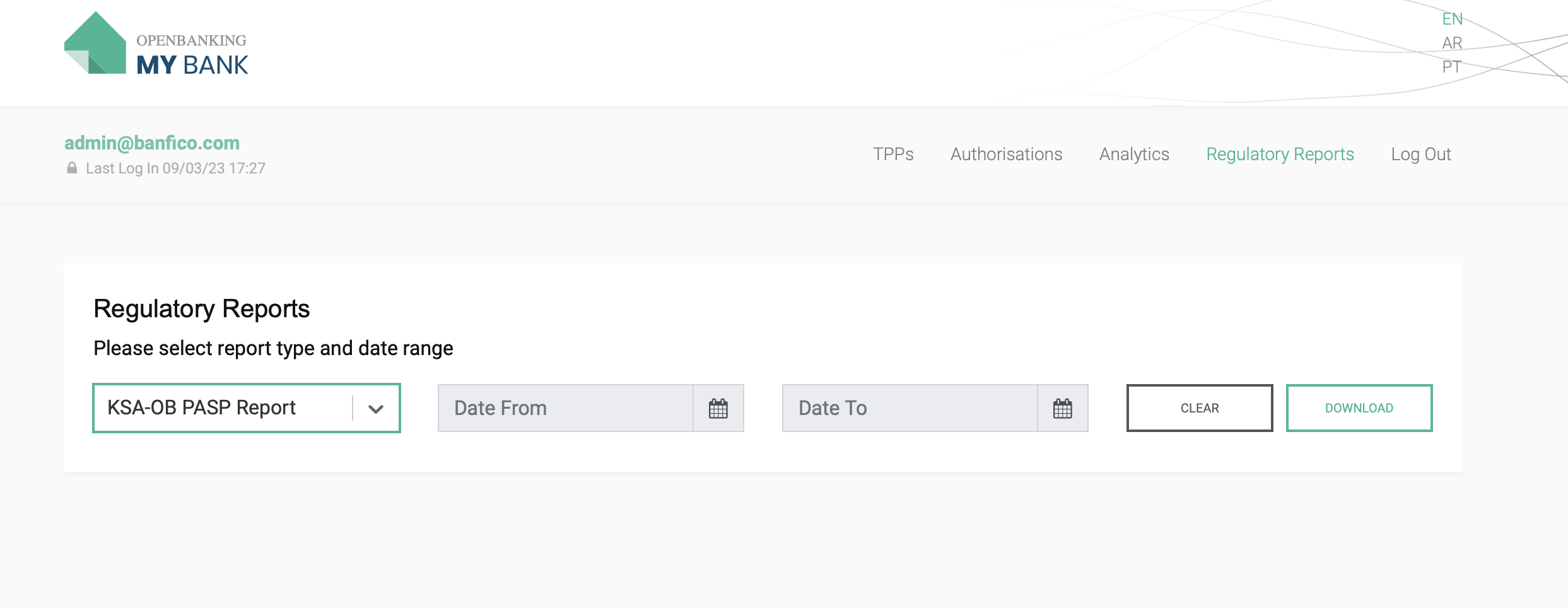
This tab helps the admin to download the Regulatory Report using the SAMA PASP Reporting Template in .csv format
i) PASP Availability
ii) PASP Performance
iii) PASP Consent
iv) PASP Users -
Filter with the dates in the 'Date field'